Add Your Training to Your LinkedIn Profile
Simple Two-Step Process
Step #1 - Add to Education
- Click the Me icon at the top of your LinkedIn homepage.
- For mobile: Tap your profile photo.
- Click View profile.
- For mobile: Tap your profile photo again to access your profile page.
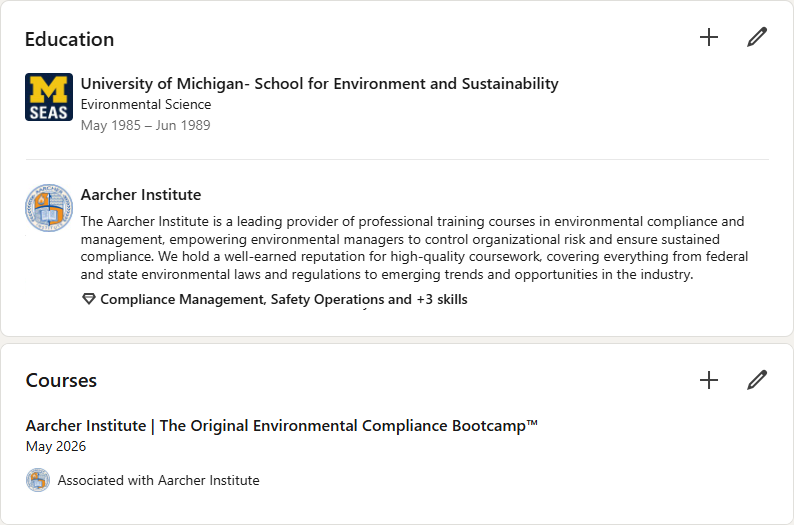
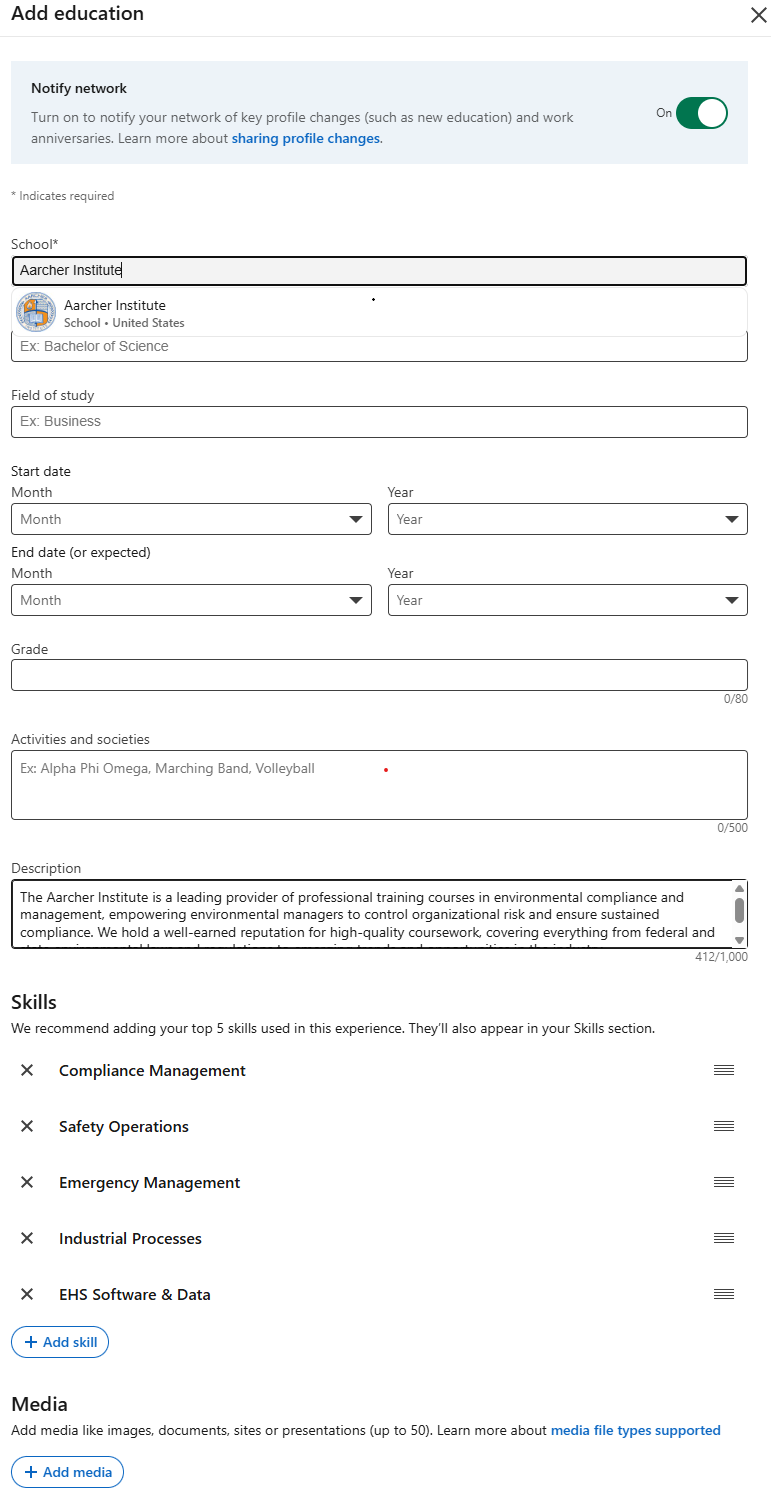
- Scroll down to the Education section and click the Add icon.
- School: Aarcher Institute
- Description: The Aarcher Institute is a leading provider of professional training courses in environmental compliance and management, empowering environmental managers to control organizational risk and ensure sustained compliance. We hold a well-earned reputation for high-quality coursework, covering everything from federal and state environmental laws and regulations to emerging trends and opportunities in the industry.
Consider turning on the Notify network toggle to share this update with your connections and adding skills or media to support your educational qualification!
- Suggested skills:
- Compliance Management
- Safety Operations
- Emergency Management
- Industrial Processes
- EHS Software & Data
Step #2 - Add Course
- Go to your LinkedIn profile and click the Add profile section button.
- Select Recommended and then Add courses.
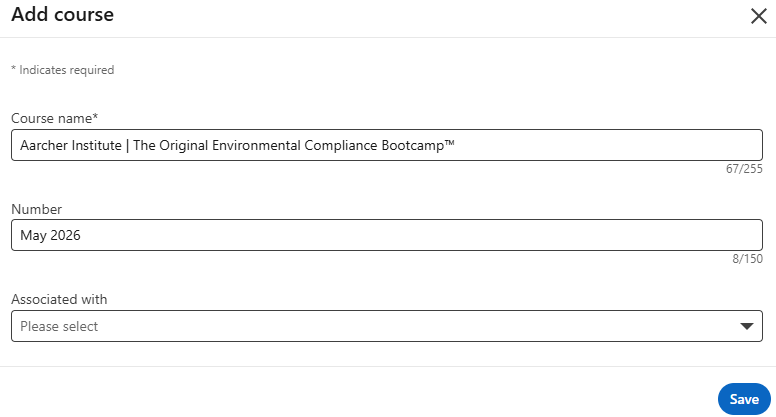
- Please enter the following information (example to the right):
- Course name: Add "Aarcher Institute" and course name
- Number: Enter the month and year of course attendance
- Associated with: If you entered Aarcher Institute in your Education section, you can select it here in the drop-down menu.
- Click Save.